Comparison

GolfBooker vs Noteefy

GolfBooker is the system your course runs on, with the fill and confirmation automations already inside it. Noteefy is a layer that sits on top of the system you already have.

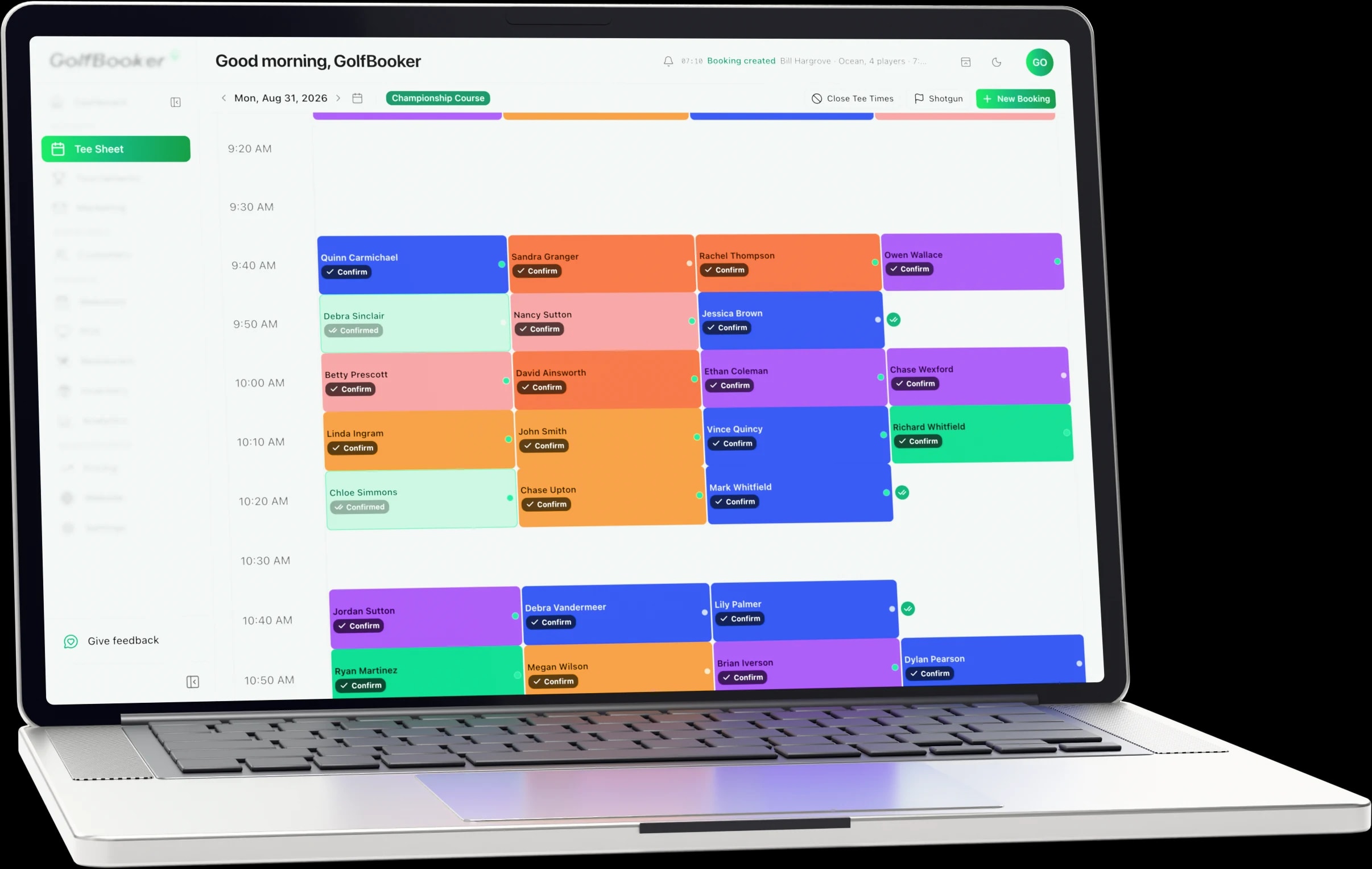
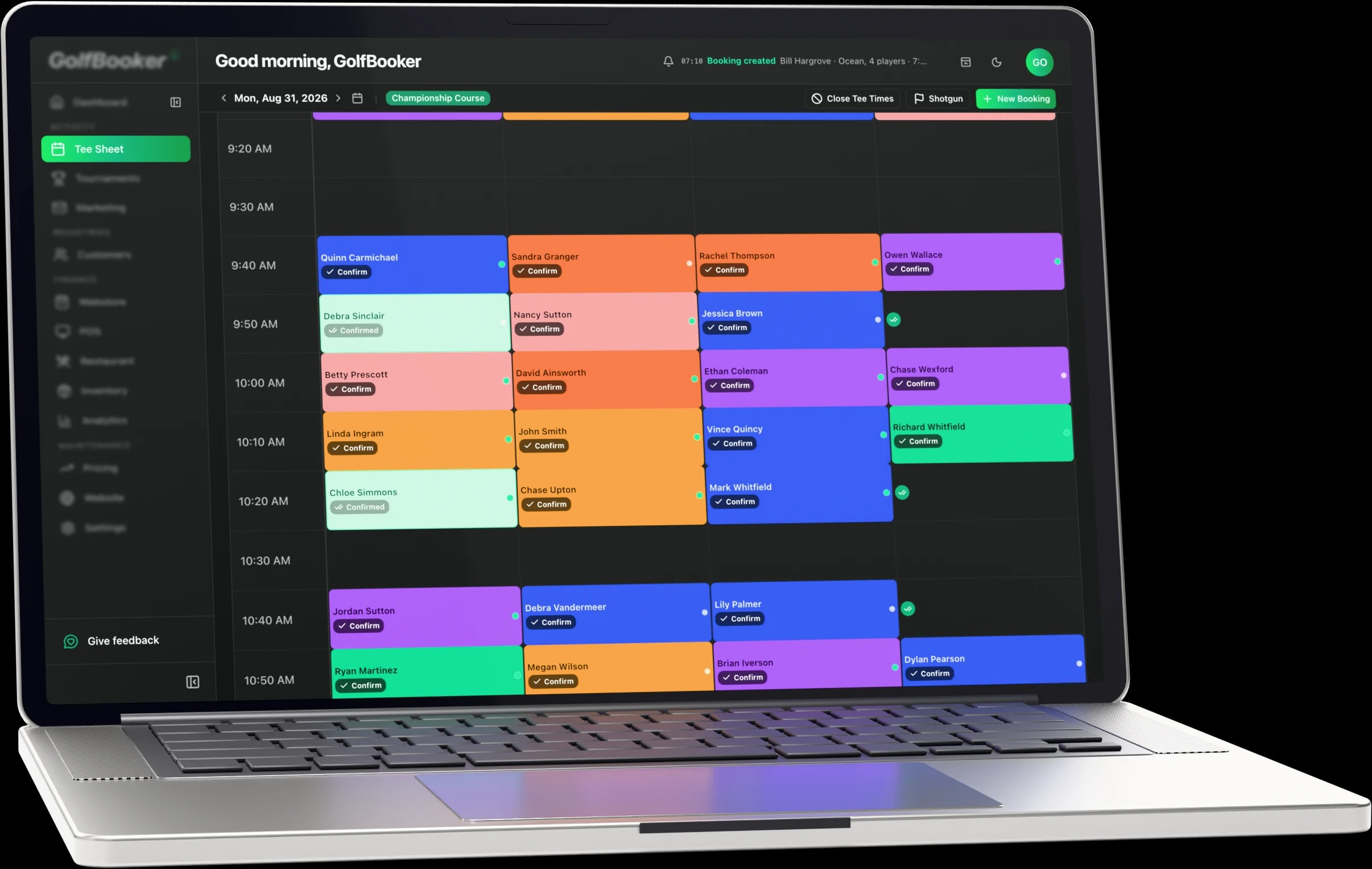
The GolfBooker tee sheet showing a morning of bookings with player names and confirmation status

Rounds today

243

Checked in

128

The short version

Why clubs pick GolfBooker over Noteefy

Pick GolfBooker if

  • The system underneath is the actual problem. Adding a demand layer to a tee sheet you dislike leaves you with the tee sheet you dislike, plus another vendor.

  • You want the fill automations without a second contract. Same-day capacity and low-utilization triggers are standard, running on the same records as the bookings they act on.

  • You would rather consolidate than accumulate. The sheet, the till, the members, the events and the marketing arrive together, on one support line.

The catch with Noteefy

  • It is a layer, not a system: it integrates into the golf management software you already run rather than replacing it.

  • The tee sheet, point of sale, member records, billing and events all stay with whatever you have today.

  • Two vendors, two logins and an integration to keep working, plus a copy of your golfer data that can drift from the original.

The long version

GolfBooker vs Noteefy: what the difference actually is

GolfBooker is the system your course runs on: the tee sheet, the point of sale, the member record, the events and the marketing, on one set of data with one support line. The automations that chase confirmations and fill late gaps are already inside it. Booking Confirmation, a 24-hour reminder and a one-hour last-minute reminder go out as standard. Last-Minute Fill triggers when same-day capacity opens up, and Off-Peak Promotion triggers when a resource drops below a utilization threshold, both segmenting off real booking history and both able to adjust the rate at the same time.

Noteefy is not trying to replace any of that, and says so itself: its overview page states that it integrates into your golf course management software and runs alongside your existing stack. Three products sit in that layer, Waitlist, Confirm and an AI Pro Shop Assistant. So the decision is not which product is better. It is whether to add a vendor on top of your tee sheet, or change the tee sheet.

Section by section

What GolfBooker does about empty tee times

GolfBooker ships automations that watch the sheet and act on it. Last-Minute Fill triggers when same-day capacity becomes available and prompts the golfers most likely to take it. Off-Peak Promotion triggers when a resource drops below a utilization threshold and pushes a targeted offer. Because these run inside the system that owns the tee sheet and the customer records, they segment off real booking history rather than a synced copy, and they can adjust the rate at the same time through your season, day, time and player category rules. It is a push model aimed at the same empty slots a waitlist is aimed at.

Verdict

GolfBooker. The same problem, solved inside the system rather than on top of it.

Confirmations and reminders, included

GolfBooker includes Booking Confirmation, a 24-hour reminder and a one-hour last-minute reminder as standard automation templates, sent by email, SMS or push depending on what the golfer has consented to. Because they run off the same records as the booking, a cancellation returns the slot to the sheet immediately and the next automation can act on it without anything syncing between vendors. Noteefy sells Confirm to do the same job as a separate product on top of your existing system.

Verdict

GolfBooker. Same outcome, one fewer contract, and one fewer copy of your golfer data to keep in step.

One system versus a bolt-on

GolfBooker asks for one trade: change the system underneath, and get the fill automations, the confirmations, the tee sheet, the point of sale, the member record, the events and the marketing on one set of data, with one login and one support line. A layer asks for the opposite. Every one added to a stack carries a cost that is not on its invoice: an integration that has to keep working when the underlying system updates, its own login and support relationship, and a copy of your golfer data that can drift from the original.

Verdict

GolfBooker, unless the system underneath is genuinely worth keeping.

The waitlist question

GolfBooker does not have a golfer-facing tee time waitlist, and we have checked our own product rather than assumed: waitlists exist on tournament and event registration, not on the tee sheet. A golfer cannot join a queue for a full Saturday morning slot and be alerted when it frees up. Noteefy's Waitlist product does exactly that job as its whole purpose, so if capturing stated demand for full weekend mornings is specifically what you are buying, weigh it. What GolfBooker does instead is chase the same slots the moment they open, from inside the system that already knows who is most likely to take them.

Verdict

Noteefy has the waitlist. GolfBooker fills the same empty slots without one, and without a second vendor.

What Noteefy is, by its own description

GolfBooker replaces the system your course runs on; Noteefy is designed to sit on top of it, and says so itself. Its overview page states that Noteefy integrates into your golf course management software, and that no matter your tee sheet or golf management system, it can integrate and be used right alongside your technology stack. The product set is Waitlist, Confirm and an AI Pro Shop Assistant, and courses are told they can be live within two weeks of signing. Nothing about that is hidden or oversold, and it is why this page argues architecture rather than features.

Verdict

Noteefy is an addition to a stack, not a replacement for one. Judge it on that basis.

Switching from Noteefy and the system underneath it

There is nothing to migrate out of Noteefy, which is the one way this move is easier than the others on this site: it holds no product catalog, no member roster and no till, so the exports come from the tee sheet and point of sale it has been sitting on. That is the system you are actually replacing. Customers, members, membership types and your catalog come out of it as CSV, we map the fields and check for duplicates and formatting problems before anything loads, and your booking windows, cancellation policy, seasons and green fee rates go in before you open. Noteefy can keep running against the old sheet until your GolfBooker sheet takes over.

Verdict

One export, from the system under the layer rather than the layer. The fill automations arrive with the sheet.

Recap

GolfBooker and Noteefy, capability by capability

Noteefy is a layer and GolfBooker is the system underneath, so most rows below are about scope rather than quality. Where Noteefy does something we do not, the fork above says so.

Booking confirmations and reminders

GolfBooker

Available: Booking confirmation, 24-hour reminder and one-hour last-minute reminder as standard automations.

Noteefy

Available: Confirm, a product for chasing booking confirmations.

Filling late and quiet slots

GolfBooker

Available: Last-Minute Fill triggers on same-day capacity; Off-Peak Promotion triggers on low utilisation.

Noteefy

Available: Waitlist alerts golfers when a tee time opens up.

Tee sheet and online booking

GolfBooker

Available: Cloud tee sheet. Your website, the golfer app and the front desk write to it in real time.

Noteefy

Not available: Integrates with your tee sheet rather than providing one.

Point of sale

GolfBooker

Available: Included. Green fees, pro shop retail and food on one ticket against one customer record.

Noteefy

Not available: Not part of the product.

Member management and billing

GolfBooker

Available: Included, with membership types, automatic renewals and dues invoicing.

Noteefy

Not available: Not part of the product.

Tournament management

GolfBooker

Available: Included. Online registration, entry fees and automatic results.

Noteefy

Not available: Not part of the product.

Email, SMS and push marketing

GolfBooker

Available: Included, segmented off the same customer records.

Noteefy

Not available: Not part of the product.

Every row is yes or no, on both sides. Noteefy details come from the company's own site and published reviews, listed with their read dates at the foot of this page, and a no means the capability is not offered in those published materials. Where a capability could not be established either way, the row is left out rather than guessed.

Common questions about Noteefy
Does Noteefy replace my tee sheet?
No. It integrates into the golf management software you already run, which means it sits on top of your existing stack rather than replacing it. GolfBooker is the system underneath, with the fill and confirmation automations already inside it.
Does GolfBooker have a tee time waitlist?
No, and we would rather say so here than in a demo. Waitlists in our product apply to event registration, not the tee sheet. Instead, automations trigger when same-day capacity opens and when utilization drops, chasing the same empty slots from inside your own system.
Can I use Noteefy alongside GolfBooker?
That is a question for them, since they position themselves as integrating with any golf management system. What we would say is that if the tee sheet underneath is the frustration, consolidating onto one system is the first move.
How does GolfBooker reduce no-shows without Noteefy's Confirm?
With standard automations: a booking confirmation, a 24-hour reminder and a one-hour last-minute reminder, by email, SMS or push. Because they run on the same records as the booking, a cancellation returns the slot to the sheet immediately.

Switching from Noteefy

What the move actually looks like

Four steps, one to two weeks for most clubs, and the team with you on the day. Import help and onboarding are included at no extra cost.

  1. Export from the system under the layer

    Noteefy holds no catalog, no member roster and no till, so there is nothing in it to export. Customers, members, membership types and your product catalog come out of the tee sheet and point of sale it has been running alongside. We tell you exactly which exports we need before you start, so you are not guessing at which report to run.

  2. We map and validate

    We map the fields and run the file for duplicates and formatting problems before anything is loaded, then send you the list of what we found. Bad member records are cheaper to fix now than in your first week live.

  3. Your rules go in first

    Booking windows, cancellation policy, group limits, seasons and green fee rates by day, time and player category are configured before launch. You are not opening on defaults and correcting them under pressure.

  4. Go live with the team on the phone

    Switch-over morning is the one that matters, so we are on it with you: the people who build the product, from the first tee time to the last.

See it on your own course

A working demo on your operation, and a quote with the subscription and the booking commission both written down. If you are moving off Noteefy, we will walk through what the import looks like.

Nick LeGarde

Nick LeGarde

Sales Lead

Prefer email? sales@golfbooker.app

Sources for the Noteefy claims (1) and trademark notice

Noteefy is a trademark of its owner and is named here only to identify the product being compared. Details are accurate to the dates above and product packaging changes.